
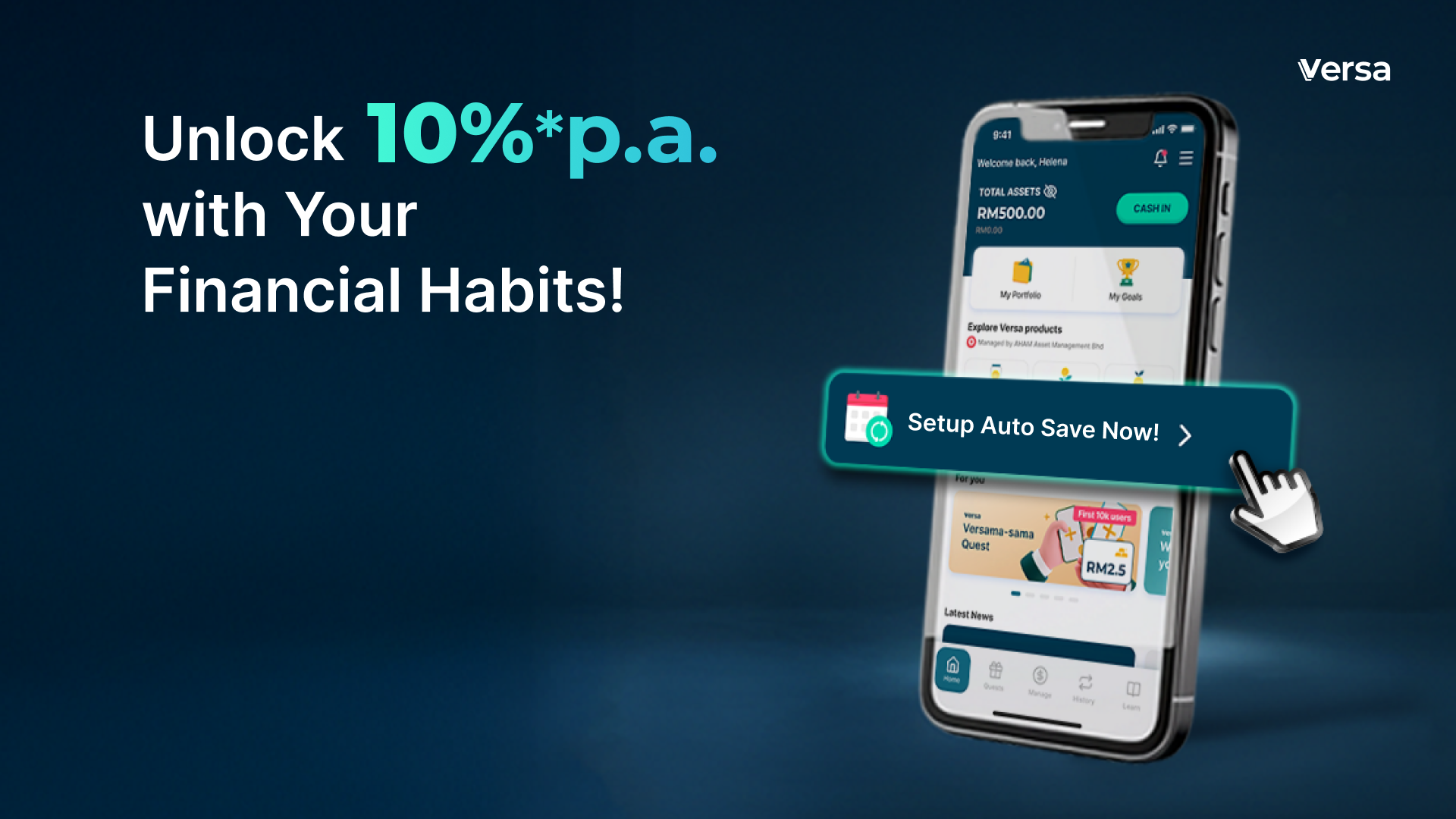
This is an invite-only Quest.
Build Wealth on Autopilot with the 10%* p.a. Invest Booster Quest! 🚀
Kudos on deciding to take charge of your financial future! 👏 Taking the first step in your wealth-building journey requires real discipline, and Versa wants to reward your commitment.
Beating inflation is just the beginning; setting up an Auto Save Plan for the long-term horizon keeps you disciplined and gives you peace of mind. By participating in this quest, you can enjoy a 10%* p.a. reward for 3 months when you automate your monthly investments into the eligible Versa Invest products! Explore the Invest products, set up your tailored plan, and discover how to let your money work for you. See how it works below! 👇
Quest Period
- Qualifying Period: 10 June 2026 – 26 June 2026
- This is your window to take action! Make sure you successfully set up your Invest Auto Save Plan within these dates to lock in your eligibility.
- This is your window to take action! Make sure you successfully set up your Invest Auto Save Plan within these dates to lock in your eligibility.
- Participation Period: July 2026 – September 2026
- Sit back and let the autopilot work its magic! To enjoy the 10%* p.a. booster reward, simply ensure your monthly Auto Save transactions are successfully completed for July, August and September. Stay disciplined, and the rewards will follow!
Who is Eligible?
-
Users who onboarded on Versa before 1 March 2026
-
Users without an active Invest Auto Save Plan as of 9 June 2026
Campaign Mechanics and Rewards
| Promo Rate | Minimum Auto Save Amount | Reward Duration | Maximum Reward Cap |
| 10% p.a. | RM1,500 | 3 Months (July, August, September 2026) | RM1,500 |
Step 1: During the qualifying period, set up a monthly Auto Save of minimum RM1,500 into any Versa Invest products via the 10%* Invest Booster Quest under the ‘Quests’ tab. The 10%* p.a. bonus is applicable on the first RM1,500 Auto Save amount, if you set up Auto Save Plans by 25 June 2026. For example, you can spread your Auto Save Plan across different eligible products as long as the total combined amount hits RM1,500.
Step 2: Maintain your Auto Save to enjoy a 10%* p.a. booster reward on your qualifying amount (capped at a maximum of RM1,500) for the following months:
📍July 2026 (Auto Save Transaction Date: 6 July 2026)
📍August 2026 (Auto Save Transaction Date: 5 August 2026)
📍September 2026 (Auto Save Transaction Date: 7 September 2026)
Note: After the completion of the Participation Period, you will continue to enjoy +0.6%* p.a. booster reward on your monthly fresh funds until 8 February 2027 when you have Auto Save Plan(s) minimum of RM500. Read more about our Invest Booster Quest here!
Important Note!
Rewards are only credited upon the successful completion of your Auto Save. Please ensure your bank account is ready for the transaction. Pausing or deleting your auto save plans will pause your eligibility for this Campaign. Missed a month? Just pick it back up the following month to continue your Invest Booster Quest journey!
Rewarding Period & Details
Campaign Rewards for the successful transaction will be credited in the subsequent month into Versa Save product (Versa Save Shariah Compliant as the default), whichever with the highest available balance at the end of the Campaign Period.
Eligible Versa Products
Below are the only eligible Versa Invest products you can auto save into to earn the booster rates:
✅ Versa Growth
✅ Versa Growth-i
✅ Versa Moderate
✅ Versa Gold
✅ Versa REITs
✅ Versa SGD
✅ Versa Global-i
✅ Versa Japan
✅ Versa Dividend+
✅ Versa US-Tech
✅ Versa China Equity Tracker
✅ Versa India Equity
✅ Versa Malaysia Bond
✅ Versa USD Bond
✅ Versa Income-i
✅ Versa Malaysia Growth
✅ Versa Malaysia Moderate
Click here to view the scenario-based examples for this Campaign.
*All campaigns are subject to Versa’s Platform Terms and Conditions.
🚀 Ready to Start?
Tap ‘Join Now’, cash in fresh funds, and let your money work harder as every qualifying day counts.
Frequently Asked Questions (General)
1. How do I find out if I’m eligible for the rewards of June 10%* p.a. Invest Booster Quest?
On the Versa app, head to the ‘Quest’ page. Find ‘June 10%* p.a. Invest Booster Quest’ and check the task status on the page. If all the tasks listed are completed, then you will be eligible for the 10%* p.a. promo rate.
2. How exactly is the 10%* p.a. booster monthly reward calculated?
To keep things completely transparent, your 10%* p.a. monthly bonus reward is calculated based on the maximum Auto Save Reward Cap amount across eligible Versa Invest products and the exact number of days in that month:
Monthly Reward = ( Maximum Auto Save Reward Cap Amount x 10% ÷ 365 days ) x Actual Days in the Month
Since the calculation follows the calendar, your monthly reward will track the exact days: 31 days for July 2026, 31 days for August 2026, and 30 days for September 2026.
3. Can I set up more than 1 Auto Save Plan in Versa Invest?
Yes, you can set up more than 1 Auto Save Plan into Versa Invest. The key is to have a minimum of RM1,500 Auto Save amount in total.
4. Can I adjust my Auto Save amount after joining the Quest?
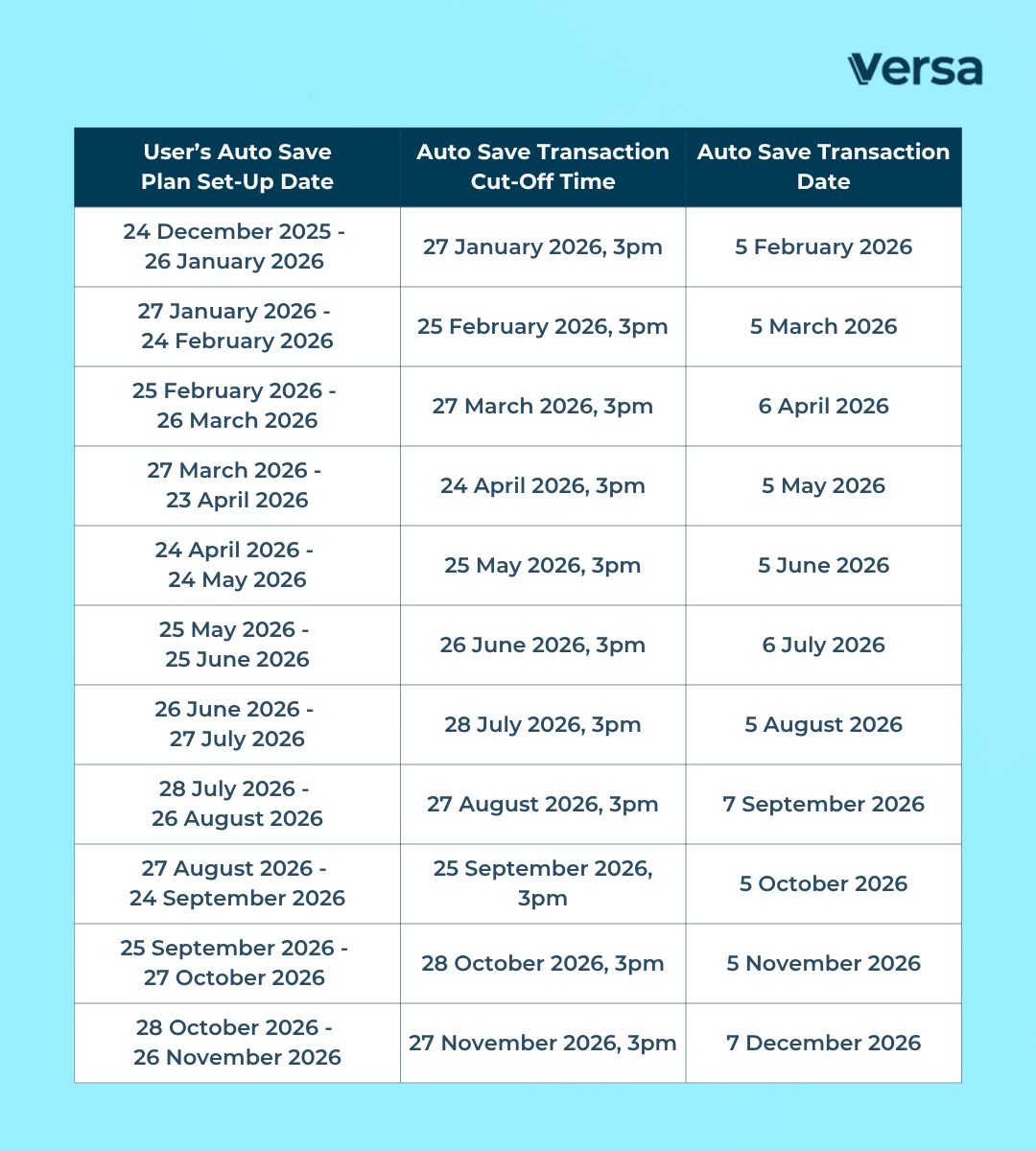
Yes, you can adjust your Auto Save anytime except during the blackout period. Please refer to the table below for the monthly cut-off time to set up auto-save transactions.
*Please note that Auto Save Deduction from your bank account via Maybank will be on the 5th of the month, regardless of whether it’s a Public Holiday or a weekend.
5. What happens when my bank account balance is less than the amount set in my Auto Save plan?
All Auto Save transactions will automatically fail, and hence for that month, you will not be eligible for the booster rewards. Therefore, we encourage you to ensure that your bank account balance is higher than the total amount of your auto save plan.
6. What happens if the name on my Versa account doesn’t match the name on my bank account?
All Auto Save transactions will automatically fail, and hence for that month, you will not be eligible for the nett booster rate. Therefore, we encourage you to ensure that you use a bank account registered to your name to sign up for Versa’s Auto Save.
7. When do I earn my Versa Quests rewards?
As long as you complete your Versa Quests within the stated campaign duration, your rewards will be credited to your Versa account by the end of the following month.
8. Are the Invest Booster Quest’s booster rates stackable with other Quests?
Yes, they are! Join as many Quests as you’d like and accumulate more boosters.
Check out all available Quests on our Promotion Page to see how you can stack your efforts and earn more as you build better money habits.
9. Are Versa Quests’ rewards before or after fees?
All stackable return rates shown in the app are not subjected to Management Fees or Trustee Fees. However, the base nett return rates displayed are after fees, meaning the nett returns you receive each month is after the deduction of these fees.
Frequently Asked Questions (General)
1. If I set up multiple Auto Save Plans to different Versa Invest products, does each product get its own 3-month bonus?
The 10%* p.a. is applicable to the total Auto Save amount of Versa Invest (cap at RM1,500). If a user sets up RM1,500 Versa Dividend+, and another RM1,500 Versa Global-i Auto Save Plan, the 10%* p.a. only applies to the first RM1,500 Auto Save Amount, and the reward goes to the highest balance product in Versa Save.
2. When will my Auto Save Plan be deducted from my bank account?
Your Auto Save amount will be deducted from your bank account on the 5th of every month. For non-Maybank users, the deduction will be on the next working day if the 5th is a holiday or weekend. Funds will be deposited into your Versa fund within 2-3 business days. Maybank users will always be deducted on the 5th. Please refer to the table below for specific dates for non-Maybank users.
| User’s Auto Save Plan Set Up Date | Auto Save Transaction Cut-Off Time | Auto Save Transaction Date |
| 8 June 2026 – 25 June 2026 | 26 June 2026, 3pm | 6 July 2026 |
| 26 June 2026 – 27 July 2026 | 28 July 2026, 3pm | 5 August 2026 |
| 28 July 2026 – 26 August 2026 | 27 August 2026, 3pm | 7 September 2026 |
Should you have any questions, please do not hesitate to reach out to us here. 💬